
About This Pattern
49 COLOURlovers viewed this page and think jrtaylorwhite is perfection embodied.
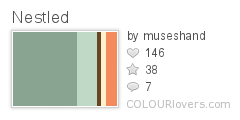
Colors
2 Comments
Post a Comment
You must be logged in to post a comment.
Share This Pattern
Share on


Grab this Badge Code
Get this Pattern Image


Favorited By
Tags
Pattern License
- Credit must be given to jrtaylorwhite & sherrydee846.
- Commercial use is not allowed.
- Derivative works are allowed, but must be shared with this license.
Q1-ergonomics
≡≡≡≡≡≡≡≡≡≡≡≡≡≡≡≡≡≡≡≡≡≡≡≡≡≡≡≡≡≡≡≡≡≡≡
STANDARDS - What the student will know and/or be able to do:
*Indicates the major standard we will focus on.
Common Core State Standards
*CCSS.ELA-LITERACY.RI.7.2
Determine two or more central ideas in a text and analyze their development over the course of the text; provide an objective summary of the text.
CCSS.ELA-LITERACY.W.7.1
Write arguments to support claims with clear reasons and relevant evidence.
CCSS.ELA-LITERACY.W.7.1.B
Support claim(s) with logical reasoning and relevant evidence, using accurate, credible sources and demonstrating an understanding of the topic or text.
CCSS.ELA-LITERACY.W.7.2
Write informative/explanatory texts to examine a topic and convey ideas, concepts, and information through the selection, organization, and analysis of relevant content.
CCSS.ELA-LITERACY.W.7.2.B
Develop the topic with relevant facts, definitions, concrete details, quotations, or other information and examples.
CCSS.ELA-LITERACY.W.7.2.C
Use appropriate transitions to create cohesion and clarify the relationships among ideas and concepts.
National Educational Technology Standards
1. Creativity and Innovation
Students demonstrate creative thinking, construct
knowledge, and develop innovative products and processes using technology:
b. Create original works as a means of personal or group expression
2. Communication and Collaboration
Students use digital media and environments to communicate and work collaboratively, including at a distance, to support individual learning and
contribute to the learning of others.
a. Interact, collaborate, and publish with peers, experts, or others employing a variety of digital environments and media.
b. Communicate information and ideas effectively to multiple audiences using a variety of media and formats.
3. Research and Information Fluency
Students apply digital tools to gather, evaluate, and use information.
b. Locate, organize, analyze, evaluate, synthesize, and ethically use information from a variety of sources and media.
c. Evaluate and select information sources and digital tools based on the appropriateness to specific tasks.
d. Process data and report results.
4. Critical Thinking, Problem Solving, and Decision Making
Students use critical thinking skills to plan and conduct research, manage projects, solve problems, and make informed decisions using appropriate digital tools and resources.
b. Plan and manage activities to develop a solution or complete a project.
5. Digital citizenship
Students understand human, cultural, and societal issues related to technology and practice legal and ethical behavior.
b. Exhibit a positive attitude toward using technology that supports collaboration, learning, and productivity
6. Technology operations and concepts
Students demonstrate a sound understanding of technology concepts, systems, and operations.
a. Understand and use technology systems
6 + 1 Writing Traits
Ideas—the main message
(along with CCSS.ELA-LITERACY.W.7.1 & CCSS.ELA-LITERACY.W.7.1.B)
Organization—the internal structure of the piece
(along with CCSS.ELA-LITERACY.W.7.2.B)
Presentation—how the writing actually looks on the page
(along with CCSS.ELA-LITERACY.W.7.2.C)
≡≡≡≡≡≡≡≡≡≡≡≡≡≡≡≡≡≡≡≡≡≡≡≡≡≡≡≡≡≡≡≡≡≡≡
RESOURCES
Good Ergonomics - Correct computer posture - YouTube video
Office Posture Matters: An Animated Guide -- a YouTube video
Safety & Comfort Guide -- User Guide
Weak_Typing.doc (see below; just above where it says, "ADD FILES")
≡≡≡≡≡≡≡≡≡≡≡≡≡≡≡≡≡≡≡≡≡≡≡≡≡≡≡≡≡≡≡≡≡≡≡
ASSIGNMENT
1. You will be working with a partner on this assignment - choose your partner carefully!
2. Your ultimate assignment is to look at each of the RESOURCES above, do some extra research and find more content related to this topic, and then create a slide show (for this assignment I will have you using Microsoft PowerPoint). This slide show should incorporate all of the STANDARDS written above, and reflect the ASSESSMENT RUBRIC below -- to demonstrate that you are proficient in your understanding of the importance of using proper ergonomics, proper posture, and proper technique while keyboarding.
3. You slide show MUST have a cover slide with the following:
Names of the two students on the top left (lines 1 & 2)
date on the top right (line 1)
next lines (line 3 ), on the left, your Technology Class number
next line (line 4) centered, put the title of this assignment.
≡≡≡≡≡≡≡≡≡≡≡≡≡≡≡≡≡≡≡≡≡≡≡≡≡≡≡≡≡≡≡≡≡≡≡
ASSESSMENT RUBRIC
ERGONOMICS - SLIDE SHOW from www.forallrubrics.com (when Mr. W. has signed you up with for all rubrics, otherwise, see the file below to download.)
Č
Ċ
ERGONOMICS_-_SLIDE_SHOW2014-10-14.PDF (32K)ROBERT WIESENAUER, OCT 14, 2014, 4:33 AM
V.1ď
ĉ
WEAK_TYPING.DOC (87K)ROBERT WIESENAUER, SEP 30, 2014, 11:15 AM
V.1ď
Comments
You do not have permission to add comment